
2026.4
You’ve always been able to log your training in Reps. This update is about seeing it: a home screen you build yourself, a Progress tab that pulls your training and body data into one place, and every personal best recorded as it happens.
All New Dashboard
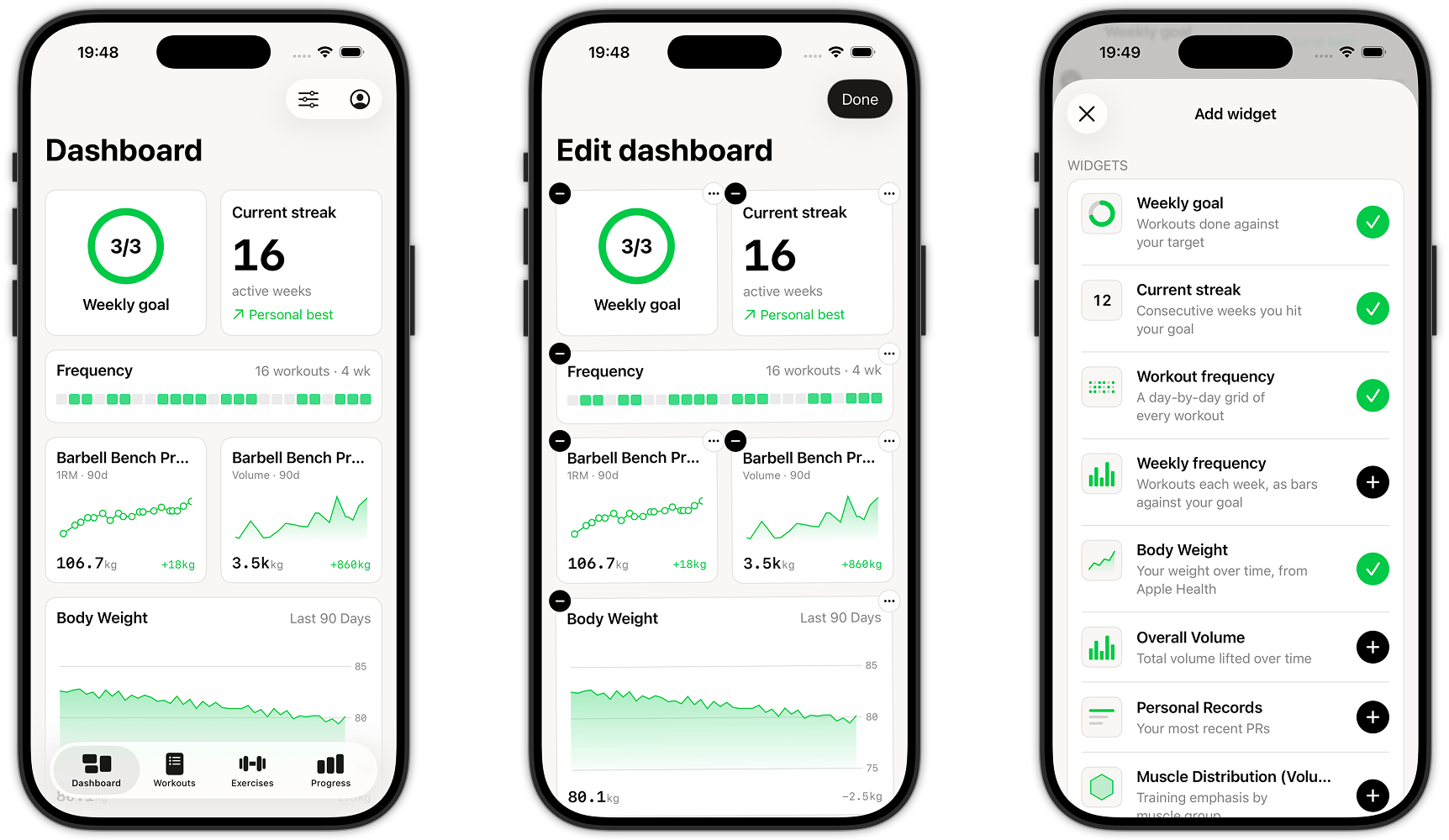
Your home screen, rebuilt so it actually shows your training instead of just logging it. The Dashboard is a fully customisable grid of widgets: pin the stats that matter most to you, and see them the moment you open the app.
How it works
Tap the customise button, top right, to enter edit mode. Your widgets will jiggle, just like apps do on your phone’s home screen. Press and hold to drag a widget into place, tap the remove button to take it off your dashboard, or tap “+ Add widget” to pin more. Tap Done when you’re happy with the layout.
Available widgets
- Weekly Goal: a progress ring showing sessions completed against your weekly target
- Current Streak: your current active-week streak
- Workout Frequency: a heatmap of your training consistency
- Body Weight: your weight trend, pulled from Apple Health
- Overall Volume: your total training volume over time
- Personal Records: your latest PRs, as they happen
- Muscle Distribution: how your training splits across muscle groups, by volume, sets, or reps
- Exercise chart: pick any exercise and track 1RM, Volume, Reps, Pace, or Distance over time
Replaced History tab with Progress
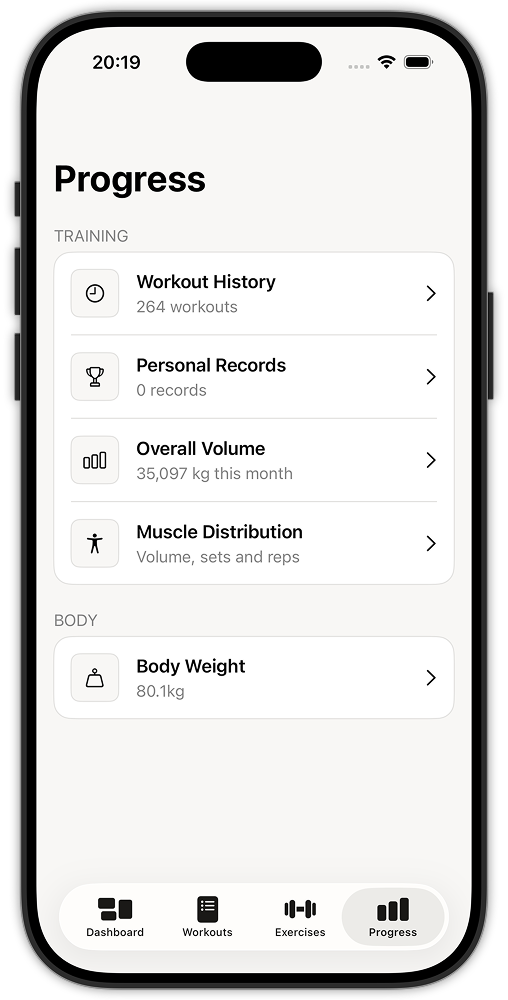
The old History tab has been replaced with Progress, a proper home for everything about how your training is going. It’s split into two sections: Training, with Workout History, Personal Records, Overall Volume, and Muscle Distribution, and Body, with your Body Weight trend. Tap into any of them for the full detail.
Personal Records
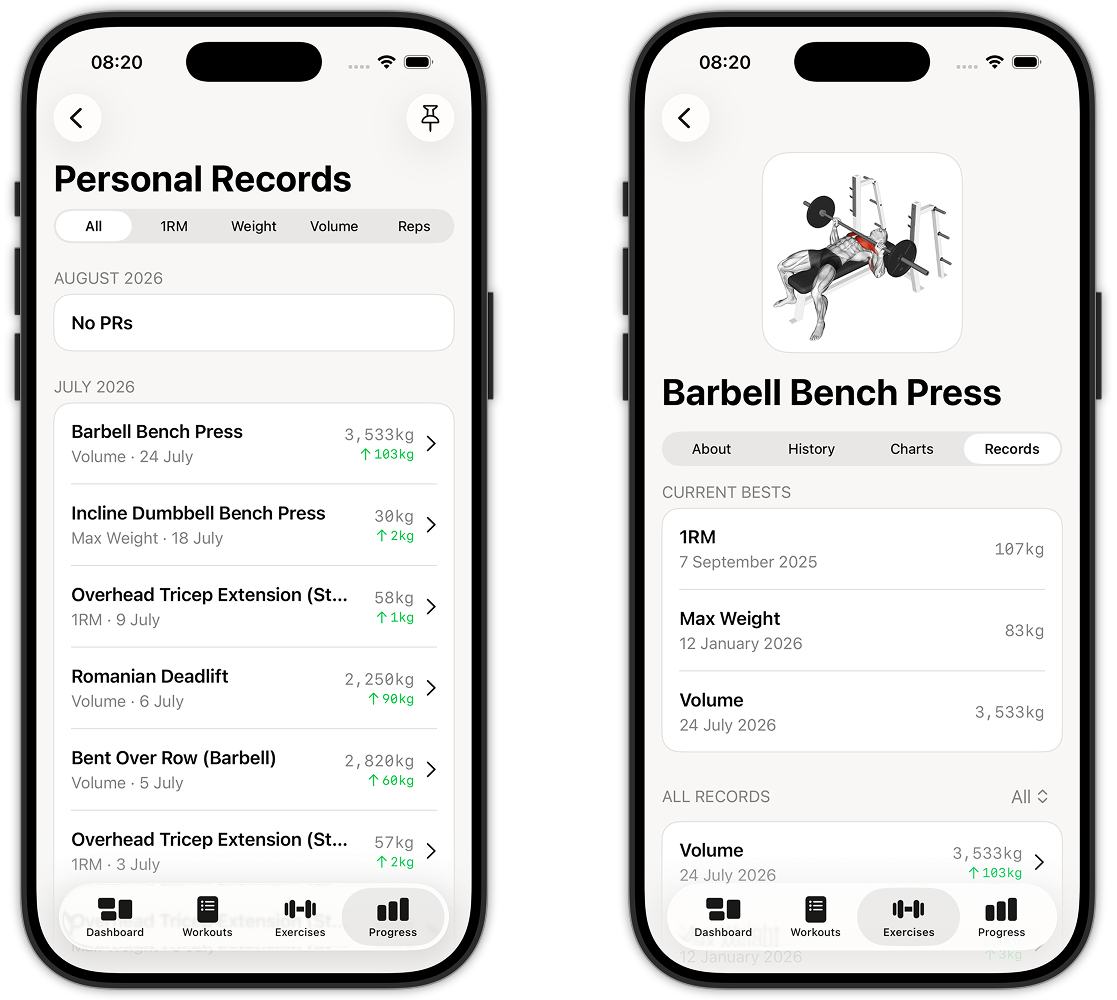
Every best you hit, tracked automatically. Personal Records lists your PRs by exercise, grouped by month, so you can see each one get beaten as you train. Filter by type — 1RM, Weight, Volume, or Reps — or view them all together; each entry shows what kind of record it is, when you set it, the value, and how much it improved on the one before.
Improvements (4)
- Updated log in page
- Unified UI colours for better consistency
- Changed the timer UI to be more in line with the rest of the app’s design
- Visualise body weight, pulled from Apple Health
Fixes (1)
- Various performance and stability fixes